
StartPage Search1.3 - App Store
You'll be able to see results in few seconds.
Publisher Description
THE WORLD'S MOST PRIVATE WEB SEARCH APP
StartPage Search gives you convenient mobile access to StartPage.com, the world's most private search engine.
It lets you search for information privately and anonymously, from the convenience of your smartphone or other mobile device.
It's the perfect tool for iron-clad privacy protections, plus great search results.
COMPLETE SEARCH PRIVACY AND ANONYMITY
Other search engines capture your search terms and record the links you click on, then use tracking cookies to build a detailed profile of you and your interests.
At StartPage, our zero data-collection policy and full SSL encryption is your assurance that nobody's looking over your shoulder, no matter what you search for.
We don't collect any personal information on our users.
We don't store your IP address, we don't capture your location, and we don't record what you searched for.
In fact, we keep no records on you at all. Nada. Zilch. Zero.
OVERVIEW OF STARTPAGE SEARCH PRIVACY FEATURES
- All searches are encrypted using powerful SSL encryption. That means your service provider can't see what you search for and neither can hackers.
- Your searches are scrubbed and anonymized for privacy.
- StartPage Search protects you from physical intrusion by deleting your searches and Web history after a set time delay, or the app is closed or suspended. With one tap of your Home button, your searches are gone.
- StartPage Search strips out your search terms, so they can t be seen by the websites you visit.
- StartPage Search never uses tracking cookies, and rejects tracking cookies from websites you visit.
- StartPage Search never records your IP address, search terms, or location.
OVERVIEW OF STARTPAGE SEARCH FEATURES
- Fully integrated web browser
- Full web-search capability with superior result quality
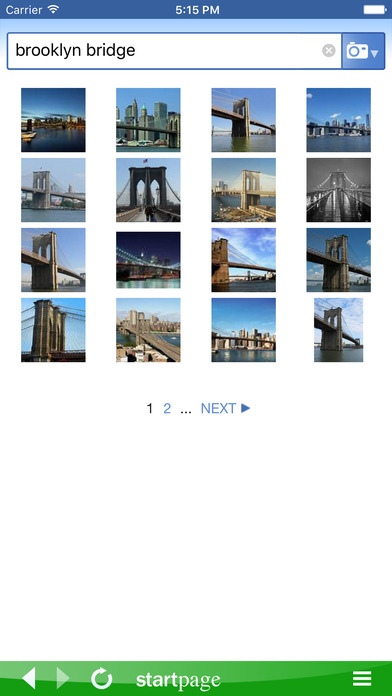
- Full image search
- Powerful Advanced Search capabilities
- Control over display settings and privacy features
PRIVATE PROXY SURFING FEATURE
When you need extra privacy, you'll love our Proxy. It works by copying the web page you want to visit onto our server, so you see it through us, not them. Because you never make contact with the third-party website, they can't infect you with cookies or malware, and they can't see your IP address or other information. They only see us, while you stay safe and invisible behind the scenes.
You can use the StartPage Proxy to access any website you find through a StartPage search. Simply click the "Proxy" link under the search result.
Note: For security reasons, the Proxy restricts web forms and JavaScript, and websites may not be optimized for mobile devices (since we don't even tell them you're on a mobile device!)
Requires iOS 6.0 or later. Compatible with iPhone, iPad, and iPod touch.
About StartPage Search
The company that develops StartPage Search is Startpage BV. The latest version released by its developer is 1.3.
To install StartPage Search on your iOS device, just click the green Continue To App button above to start the installation process. The app is listed on our website since 2013-05-22 and was downloaded 0 times. We have already checked if the download link is safe, however for your own protection we recommend that you scan the downloaded app with your antivirus. Your antivirus may detect the StartPage Search as malware if the download link is broken.
How to install StartPage Search on your iOS device:
- Click on the Continue To App button on our website. This will redirect you to the App Store.
- Once the StartPage Search is shown in the iTunes listing of your iOS device, you can start its download and installation. Tap on the GET button to the right of the app to start downloading it.
- If you are not logged-in the iOS appstore app, you'll be prompted for your your Apple ID and/or password.
- After StartPage Search is downloaded, you'll see an INSTALL button to the right. Tap on it to start the actual installation of the iOS app.
- Once installation is finished you can tap on the OPEN button to start it. Its icon will also be added to your device home screen.
Program Details
System requirements
Download information
Pricing
Version History
version 1.3
posted on 2013-05-22
Disclaimer
Official App Store Link
We do not host StartPage Search on our servers. We did not scan it for viruses, adware, spyware or other type of malware. This app is hosted by Apple and passed their terms and conditions to be listed there. We recommend caution when installing it.
The App Store link for StartPage Search is provided to you by apps112.com without any warranties, representations or guarantees of any kind, so access it at your own risk.
If you have questions regarding this particular app contact the publisher directly. For questions about the functionalities of apps112.com contact us.
